
Demystifying workflow software: benefits, challenges, and examples
Workflow software helps businesses automate repetitive tasks and reduce human error. That much is well understood. What gets less attention is how many small and mid-sized enterprises still rely on manual processes and fragmented systems, unsure whether workflow automation is actually worth the effort.
A British Chambers of Commerce and Intuit survey found that a large share of UK SMEs use five or more apps, yet only around 35% use AI or automation. Nearly a third remain undecided. Workflow software can streamline approvals, help teams work faster, and cut mistakes, but the costs and complexity give many leaders pause.
This article defines workflow automation and workflow management, explains the benefits and challenges, and offers a practical approach to selecting and implementing workflow software. It also highlights real-world examples and addresses concerns about people, compliance and funding.
The real friction: manual processes and bottlenecks
Before investing in automation, leaders need to understand the pain points in their current workflows. Many day-to-day processes, from invoice approvals and contract sign-offs to employee onboarding, still rely on email chains and spreadsheets. These manual steps are slow, prone to errors and difficult to track.
When different teams use separate tools, data lives in silos. According to the same BCC survey, 42% of businesses use fewer than five apps, 37% use between five and ten, and 15% use more than eleven. This fragmentation creates confusion and delays that ripple through operations long after anyone remembers how they started.
Adoption of automation is improving, though unevenly. Around 35% of UK SMEs now use AI and automation tools, up from 25% in 2024, while 31% remain undecided. Cost is a major barrier. Many leaders worry about the risk and effort of switching systems. A lack of in-house expertise slows things down further. Understanding these frictions helps organisations decide where workflow software can make the biggest impact.
What is workflow automation software?
Workflow software automates the flow of tasks and data based on business rules. A workflow is a set of connected activities that lead to a business outcome, such as approving a purchase order or onboarding a new hire.
Workflow automation software uses rule-based logic, often expressed as "if/then" statements, to trigger tasks, route information and send reminders. When configured correctly, it reduces manual effort, improves accuracy and gives managers better visibility into processes.
Workflow management software goes a step further. It helps organisations design, monitor and optimise sequences of tasks, offering dashboards, analytics and tools to assign roles and track progress. The terms "workflow automation software" and "workflow management software" are sometimes used interchangeably, but the distinction matters. Automation focuses on triggers and tasks. Management covers the broader planning and oversight.
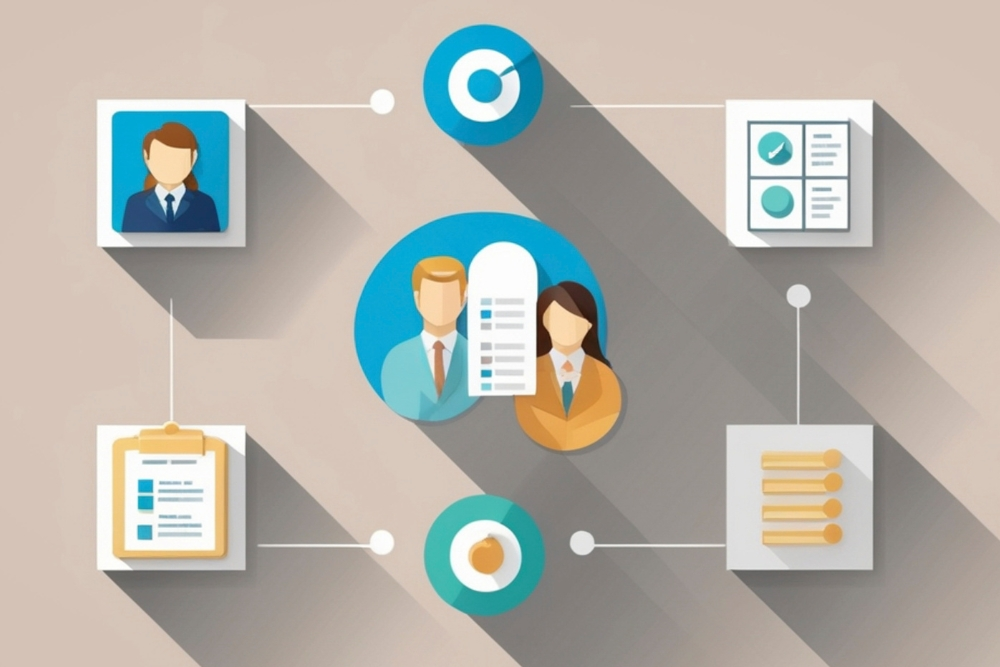 Document workflow automation
Document workflows involve capturing, routing and approving documents such as invoices, contracts and forms. Document workflow automation automatically extracts data from a document, sends it to the right person, reminds them to approve it and records the outcome.
Consider an invoice approval process. A vendor submits a bill. The system extracts key details, routes it to the appropriate manager, sends reminders and logs each step. No chasing. No manual follow-ups.
These systems improve content accuracy, enhance collaboration and create a clear audit trail. To work well, they need features like templates, version control and real-time notifications.
Workflow in software development
A workflow in software development refers to the sequence of steps that connect stages of the software development life cycle. It acts as the connective tissue between requirements gathering, design, coding, testing and deployment.
A well-defined development workflow clarifies responsibilities, helps teams foresee bottlenecks and spreads work evenly. While development workflows rely on processes and collaboration, automation tools can support tasks like code reviews and continuous integration. They are, however, distinct from business workflow automation, which focuses on general business operations.
Benefits of workflow automation
Workflow software offers tangible advantages when applied to the right processes.
Time savings and fewer errors. Automating repetitive steps cuts manual data entry and reduces mistakes, leading to faster turnaround times.
Improved accountability and visibility. Automated workflows provide a clear trail of who did what and when. Managers can see where tasks are stuck and address bottlenecks before they compound.
Enhanced collaboration and resource use. Workflow management tools assign tasks, define roles and help teams coordinate their work, fostering collaboration and better allocation of resources.
Potential productivity and revenue gains. The UK government's SME Digital Adoption Taskforce report found that innovative SMEs recorded 14.8% revenue growth. Increasing SME productivity by just 1% over five years could add £94 billion annually to GDP.
Not every sector experiences the same gains. Adoption is higher among professional service firms and larger companies. Benefits also depend on process selection and user adoption. Automation is most effective when applied to high-volume, repetitive tasks rather than bespoke or judgement-heavy work.
Challenges and limitations
Automation is not a silver bullet. Leaders need to set realistic expectations, and that starts with understanding several challenges.
Cost and financial barriers. The Technology Adoption Review 2025 found that more than half of firms cite cost as a barrier to adopting digital tools. Upfront fees, integration work and training can be significant, especially for smaller teams.
Skills gaps. According to a report cited by Box, only about 29% of organisations consider their process and workflow design skills advanced. SMEs often lack the internal expertise needed to implement and maintain automation.
Resistance to change. People may fear job loss or disruption. Involving stakeholders early and communicating benefits clearly can reduce resistance, but it takes deliberate effort.
Tool fragmentation and integration issues. Using many separate apps can create data silos and limit automation's impact. When tools do not talk to each other, the friction just moves rather than disappears.
Security and compliance risks. Automating workflows that handle personal data introduces responsibilities under the UK GDPR. The ICO's guide to data security outlines that organisations must process data securely, conduct risk analyses, maintain security policies and implement measures like encryption and backups.
Not all tasks should be automated. Some work requires human judgement or personal interaction. We advise balancing automation with human oversight and starting with simple, well-defined processes.
 People and adoption barriers
Human factors often determine the success of workflow automation. Lack of expertise, fear of job loss and change fatigue can prevent teams from embracing new tools. SMEs want guidance, impartial advice and short, sector-specific training to build confidence. To overcome these barriers, three things matter most.
Involve employees in design. Engaging those who perform the work in designing workflows builds ownership and reduces resistance. People support what they help create.
Provide training and support. Giving teams the skills and support they need helps them adapt and ensures that processes run smoothly after launch.
Communicate clearly. Leaders should explain why automation is being introduced and how it will improve work. Address fears by emphasising that automation removes repetitive tasks so people can focus on higher-value work.
Security and compliance considerations
Under UK GDPR, organisations must process personal data securely. The ICO's data security guidance sets out the requirements clearly. This includes carrying out risk analyses, maintaining an information security policy, encrypting or pseudonymising data, ensuring backups and testing systems regularly.
It is essential to choose vendors that demonstrate compliance and provide tools for managing access and audits. Future regulation, such as the Data (Use and Access) Act 2025, may introduce new requirements, so leaders need to stay informed.
A balanced approach: frameworks for selection and implementation
Adopting workflow software requires a deliberate, people-centred approach. The following framework combines best practices from Atlassian's workflow automation guide with Adapt Digital's own methodology.
Identify a candidate process. Start with a simple, repetitive task that consumes time or is prone to error, and map each step.
Define objectives and success metrics. Set clear goals, such as reducing processing time by a certain percentage or cutting errors.
Involve stakeholders. Engage those who perform or oversee the process to gather insights and build buy-in.
Select the right tool. Evaluate software based on ease of use, integration, customisation, scalability, reporting, security and mobile access. For document workflows, look for templates, version control and real-time notifications.
Design and test the workflow. Build the workflow using rule-based logic, run pilot tests and include checkpoints for human oversight.
Train users and launch. Provide training, documentation and support to ensure adoption.
Monitor and optimise. Track metrics, gather feedback and refine the workflow over time.
Adapt Digital's E.A.A.R methodology complements this framework. After establishing current workflows, assess pain points, address them through solutions and review results continually. Starting small and iterating reduces risk and builds confidence.
How to select the right tool
Choosing workflow software requires careful evaluation. Leaders should consider the following.
Ease of use and integration. The tool should be intuitive and connect easily with existing systems to avoid creating new silos.
Customisation and scalability. It should support custom workflows and grow with the business as processes mature.
Reporting and analytics. Built-in metrics help monitor efficiency and identify improvements.
Security and compliance. Look for robust access controls, encryption and audit logs.
Mobile access. Mobile support enables teams to act promptly, even when working remotely.
For document-heavy processes, templates, version control and notifications are essential. Total cost of ownership, including setup, licensing and support, should also be considered. Running a pilot with a small group before full deployment helps validate the choice.
Finding your workflow automation balance
Workflow software can deliver real benefits by reducing manual workloads, improving accuracy and giving teams greater clarity. The key is to approach automation thoughtfully. Start with a simple, high-friction process. Involve your team. Balance automation with human judgement.
Use a structured framework. Consider tools that fit your workflows, integrate with existing systems and comply with data protection standards. Funding programmes and impartial advice can support your journey.
By taking a people-first approach and focusing on operational clarity, UK SMEs can adopt workflow software with confidence. Modern tools, when implemented carefully, offer a practical way to remove friction and free teams to focus on the work that actually matters.
If you are looking for structured, people-first support to bring clarity to your workflows, get in touch.